# Login and Access to Full Proposal
1. Go to [https://fundingportal.wwtf.at/](https://fundingportal.wwtf.at/)
2. Login with your credentials
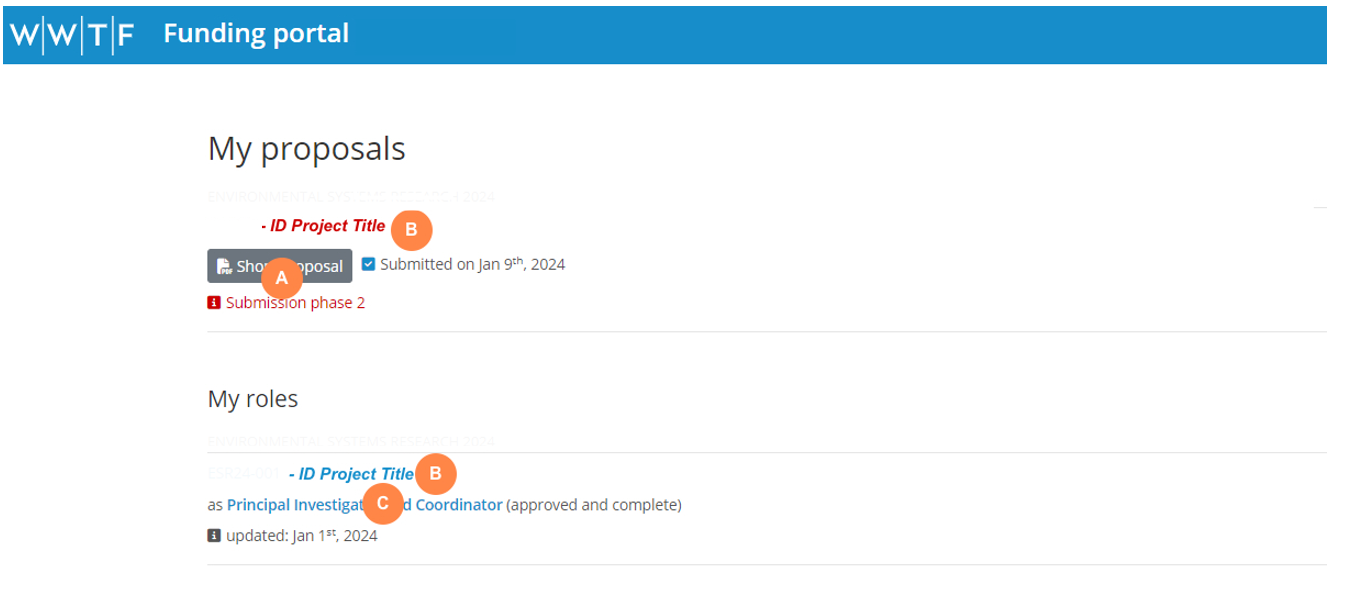
3. You will see an overview of your proposal(s) and role(s) under the menu “My Proposals & Roles"
[](https://wiki.wwtf.at/uploads/images/gallery/2025-03/nWDDNxOkZZEGybZW-image.png)
- **A**** **Click on “Short Proposal” to download a PDF of your submitted short proposal in case you need to return to the information in the short proposal.
- **B**** **Click on the project title to edit the full proposal
- **C** Click on your role to edit your specific role in this proposal